
There are many ways to prepare for a competency assessment: reviewing related learning, policies, and procedures are all a great start. But one of the best things you can do is review the assessment criteria itself, so you know exactly what your assessor will expect to observe.
Here's how:
Step 1: Locate the competency assessment
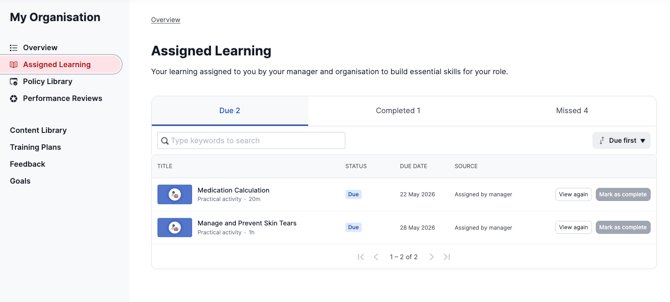
Go to your My Organisation staff portal and navigate to your Assigned Learning, or search for the competency in your Content Library. Your competency assessment will appear as a Practical Activity type.
Step 2: Locate the View Criteria button
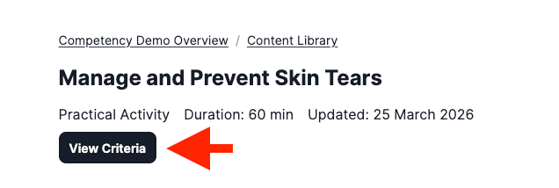
If your organisation uses Ausmed Competency™, you should see a View Criteria button on the activity details page. Clicking it will open the competency assessment criteria so you can see exactly what you'll be assessed against.
Step 3: Check the activity details page
If there's no View Criteria button, your organisation may have included the assessment criteria or questions directly on the page — either written out or as a downloadable file or link.
Can't find anything? If there's nothing on the details page and no View Criteria button, your organisation may not have made the criteria available in advance. Reach out to your manager or Learning & Development coordinator who should be able to help.